Lilly Health™
- 4.4
- Rating
- 100.00K
- Installs
- Free
- Price

 Analysis by App-foxy
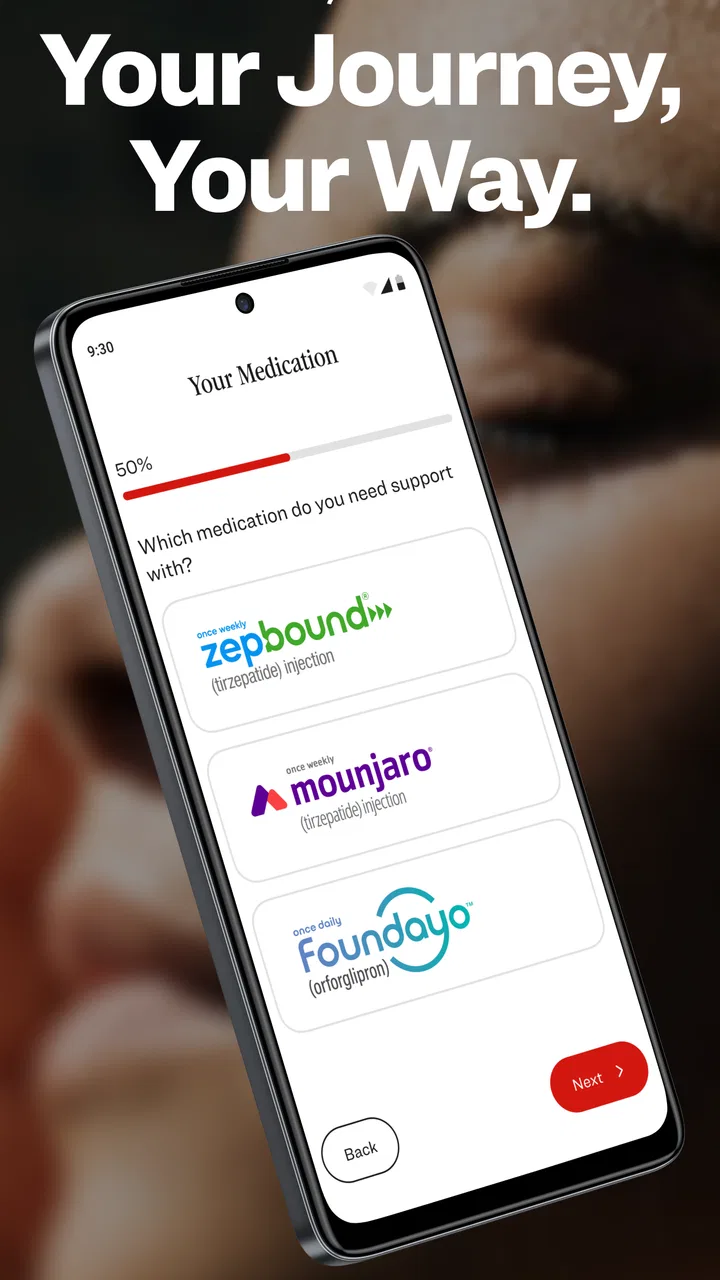
I approached Lilly Health™ as a practical companion for people using Zepbound or Mounjaro, rather than as a replacement for medical care. Developed by Eli Lilly and Company, this free medical app brings together support, savings-related resources, and tracking tools in one place. My first impression is that it is most useful when treated as part of a repeatable treatment routine: check the information you need, record the details that matter to you, and keep questions ready for your healthcare professional.
That focus makes it different from a general wellness app. It is not trying to be a broad calorie counter, workout coach, or social weight-management community. Its value comes from being tied specifically to Lilly’s two medicines and from putting related resources close at hand. The audience is therefore fairly clear: people who use, or are considering information about, Zepbound or Mounjaro and want a dedicated place for support material.
I also found the app easier to judge when I separated its practical role from the medical decisions around treatment. It can help organize information and make recurring tasks less scattered, but it should not be used to change a dose, interpret symptoms on its own, or replace advice from a prescriber or pharmacist. That distinction is important with any medication-focused tool, and especially so here.
You May Also Like

 Blood Strike: 2.5 Anniversary
Blood Strike’s Loadouts Turn Every Drop Into a Tactical Gamble
A close look at Blood Strike’s custom loadouts: how fast access to signature weapons reshapes its battle royale rhythm, rewards preparation, and narrows the gap between fights.

 Pandora - Music & Podcasts
Pandora’s Music Is Easy to Start, but Harder to Recover
Pandora’s strength is its low-effort path from a seed to a station. Its weak spot is how much confidence it asks you to place in connection, setup, and quiet recovery.

 8 Ball Pool
 Is Built on Rivalries, Rematches, and Routine
A close look at the rivalries, rematches, shared routines, and unanswered safety questions that turn a quick pool match into a persistent mobile community.

 Samsung Music
’s Quiet Strength Is Playing What You Already Own
Its reach comes less from spectacle than from dependable access to a personal library. That simplicity is both the app’s strongest retention engine and its ceiling.

 AccuWeather: Weather Radar
AccuWeather Review: A Quick, Clear Forecast for Everyday Decisions
For everyday plans, the best forecast is the one you can understand quickly. AccuWeather makes rain timing, radar, and local conditions easy to act on, with a few trade-offs.

 Hill Climb Racing
Why Hill Climb Racing Still Turns Crashes Into One More Run
A tiny car, a bumpy hill and one more upgrade: Hill Climb Racing keeps resurfacing because its simple chaos makes every near-miss feel personal.
More From Our News Desk
View All News


Building a dependable Lilly Health routine
I’d build a dependable Lilly Health routine around one small decision: what do I want to remember or sort out the next time I open it? Keeping that purpose clear can make medication-related notes more useful and less burdensome. I’d also set aside a moment to review those notes before a healthcare conversation, so the app supports a thoughtful discussion rather than becoming another place to check without a plan.
Start with one clear purpose
The best first step is to decide what you want the app to do for you. If your main need is savings information, go straight to that area instead of wandering through every resource. If you want to keep a record of your treatment experience, establish what you will record and when. If you are preparing for an appointment, use the app as a place to gather useful notes rather than expecting it to diagnose a problem.
This sounds simple, but it prevents a common mistake: opening a health app only when something feels urgent. A more reliable habit is to check it at a predictable point in your routine, such as after reviewing your medication plan or before a scheduled conversation with your care team. I prefer a short, consistent check over repeatedly searching through unrelated websites and notes.
The app’s tracking purpose is particularly helpful when it supports a conversation with a professional. A brief record of what you noticed, when it happened, and what questions followed can be more useful than trying to remember several weeks of details in the examination room. I would keep observations factual and avoid treating a personal pattern as proof of a medical cause.
Use savings resources as preparation, not as a guarantee
One of the more practical reasons to keep this app installed is the access to savings-related support. I would review those resources before assuming that a particular option applies to me. Eligibility, prescription circumstances, pharmacy arrangements, and other conditions can affect how useful a savings program is in practice.
A good workflow is to read the relevant information, note what you need to check, and then confirm the details with the appropriate healthcare or pharmacy contact. This is more dependable than relying on a screenshot or an old note saved on your phone. It also keeps the app in its proper role: a convenient source of support material, not a promise that every user will receive the same benefit.
For someone managing recurring medication costs, this can save time. Instead of beginning every search from scratch, I can return to the dedicated resource and use it as a starting point for the next conversation. The trade-off is that convenience does not remove the need to read the conditions carefully.
Keep appointment preparation separate from medical judgment
A useful habit is to create a small pre-appointment routine around the app. I would review any tracking notes, write down questions about changes or difficulties, and identify which items need a professional answer. That gives the appointment a clearer structure without asking the app to make the decision.
This is also where the app can be more useful than a generic notes tool. A blank notes page does not remind me why I am recording something or how it relates to the treatment experience. Lilly Health™ keeps the context closer to the medication support workflow, which reduces the mental effort of organizing everything elsewhere.
Still, I would not treat every prompt or resource as personal medical advice. If a symptom is concerning, urgent, or worsening, the right next step is direct professional help. An app can support preparation and record-keeping, but it cannot examine me, review my complete history, or respond to an emergency.
Settings and access habits worth checking
Rather than changing settings casually, I would first look at how the app presents tracking and support information on my device. The goal is to make the routine easy to repeat without exposing medication-related details unnecessarily in places where other people might see them. A quick review of notification behavior and privacy-related choices is sensible whenever a health app becomes part of daily life.
I would also check that the app remains comfortable to use on the phone I rely on. Lilly Health™ requires Android 10 or later, so anyone using an older Android device should confirm compatibility before planning a routine around it. The current version is 1.4, which is useful context when troubleshooting: if the experience seems different after an update, I would first check that the installed version is current and then review the app’s own guidance.
These are small checks, but they matter because friction is often what breaks a health habit. If opening the app feels slow, confusing, or too exposed on a shared device, I am less likely to use it consistently. A few minutes spent making access comfortable can be more valuable than collecting features I never revisit.
Faster patterns for repeat use
Experienced users usually do not explore every screen each time. They develop a short route based on their most common task. For one person, that may mean checking support resources; for another, it may mean reviewing tracking notes before an appointment. I recommend identifying the one or two areas that genuinely help and returning to them directly.
Another efficient pattern is to pair the app with an existing routine instead of creating a completely separate reminder system. For example, I might review my notes when I already prepare questions for a healthcare visit. The app then becomes part of a habit that already exists, rather than another isolated task competing for attention.
I would also avoid recording information just because a field is available. Tracking becomes more useful when every entry has a reason: remembering a question, noticing a change worth discussing, or keeping treatment-related details organized. Excessive logging can create work without improving the conversation with a professional.
A final time-saving approach is to use the app before contacting support or a pharmacy. I would gather the relevant resource, read the instructions carefully, and make a short list of what remains unclear. That usually leads to a more focused call or message than opening with a vague question about the whole treatment process.
Where the app reaches its limits
The biggest limitation is scope. Lilly Health™ is centered on Lilly’s Zepbound and Mounjaro support, so it is not the right all-purpose tool for someone who wants to manage several unrelated medicines, compare broad treatment options, or maintain a complete personal health record. A general medication manager may be better for reminders across many prescriptions.
It is also not a substitute for a full nutrition or fitness platform. If I want meal planning, exercise programs, detailed food analysis, or a community built around lifestyle goals, I would need another service. Adding several apps can be inconvenient, but expecting this one to cover every part of weight management would be less realistic than choosing tools by purpose.
Another limitation is that tracking can create a false sense of control if I interpret the record without context. A change in how I feel, eat, sleep, or respond to treatment may have several possible explanations. The app can help me describe the experience, but it cannot establish the cause. I would bring meaningful changes to a qualified professional rather than trying to solve them through repeated entries.
People who are not using either medicine may find the app less relevant than a neutral medical reference or a general health organizer. Likewise, someone who dislikes digital tracking may gain little from installing it unless the savings and support resources address an immediate need. The fact that the app is free removes a financial barrier to trying it, but it does not guarantee that its focused design will match every user’s habits.
How it compares with familiar alternatives
Compared with a standard notes app, Lilly Health™ offers a more focused setting for medication-related support and tracking. A notes app is more flexible and can hold anything, but that flexibility also means building the structure yourself. I would choose the dedicated app when I want Lilly-specific material close by, and a notes app when I need a broader personal record.
Compared with a medication reminder, the distinction is even clearer. A reminder is usually strongest at telling me when to take something. Lilly Health™ is more concerned with support, resources, and treatment-related organization. If punctual reminders are my main problem, a dedicated reminder may be the better tool; if I need information and a place to prepare for conversations, this app has the more relevant focus.
Compared with a general weight-management platform, Lilly Health™ is narrower but potentially more appropriate for its intended medicines. General platforms often offer wider lifestyle features, while this app keeps attention on Zepbound and Mounjaro support. I would not choose between them as if one must replace the other. They solve different problems, and combining them can make sense if I can maintain the extra routine without becoming overwhelmed.
What the user base suggests
The app has passed one hundred thousand installs and holds a 3.8 average from around one hundred thirty ratings. I read that as evidence of real interest, but not as a reason to assume the experience will be perfect for everyone. The rating is mixed enough to encourage a personal trial, especially because the app is free, while also reminding me that focused medical tools can feel useful to one person and limited to another.
It is available for everyone from an age-rating perspective, but that label should not be confused with individualized medical suitability. Families and caregivers may find the support material useful when helping someone organize questions or treatment information, yet medication decisions still belong with the patient’s healthcare professionals and the relevant adults responsible for care.
My practical verdict after settling into the workflow
After looking at the app as a repeat-use tool rather than a one-time information page, I see its strongest quality in concentration. It puts Zepbound and Mounjaro support, savings-oriented resources, and tracking in a context designed around those treatments. That can reduce the scattered feeling of managing information across browser tabs, paper notes, and unrelated apps.
The smartest way to use Lilly Health™ is as a preparation and organization layer around professional care. I would use it to find relevant support material, maintain purposeful notes, and arrive at appointments with clearer questions. I would not use it to self-diagnose, alter treatment, or replace urgent medical guidance.
My recommendation is strongest for current users who want a focused companion and who are willing to build a small, repeatable habit. It is also worth trying for someone mainly interested in Lilly’s support and savings resources. I would skip it if I need a complete medication manager, extensive lifestyle coaching, or a broad health record in one application.
With its free price, Everyone content rating, and release on April 30, 2025, the barrier to testing it is low. The more important question is whether its narrow purpose fits my routine. For me, it works best when I open it with a specific task, record only information that will help later, and leave medical interpretation to the professionals who know my situation.
FAQs for Lilly Health™
01What is Lilly Health™ and what does it offer?
Lilly Health™ is a comprehensive wellness app designed to help users track their physical and mental health. It offers features such as daily health tips, personalized exercise routines, meditation guides, and a nutrition tracker. The app aims to support users in achieving a balanced lifestyle by providing tools and insights tailored to individual health goals.
02Is Lilly Health™ compatible with all devices?
Lilly Health™ is available for both Android and iOS devices. It supports most smartphones and tablets running the latest operating systems. To ensure optimal performance, it's recommended to check the app store for specific device compatibility and required system specifications before downloading.
03Does Lilly Health™ offer a free version, or is it subscription-based?
Lilly Health™ provides a free version with basic features to help users get started on their wellness journey. For a more comprehensive experience, the app offers a subscription-based model that unlocks premium features such as advanced health analytics, personalized coaching, and exclusive content. Subscription details can be found within the app.
04How does Lilly Health™ ensure user privacy and data security?
Lilly Health™ places a strong emphasis on user privacy and data protection. The app uses encryption to safeguard personal information and complies with relevant data protection regulations. Users can review the privacy policy within the app to understand how their data is collected, used, and stored, ensuring transparency and security.
05Can I use Lilly Health™ offline, or is an internet connection required?
While some features of Lilly Health™ can be accessed offline, such as saved workouts and meditation guides, an internet connection is required for full functionality. Features like real-time health tracking, updates, and syncing with cloud services require connectivity to provide a seamless user experience and access to the latest content.
Pros
- User-friendly interface for easy navigation.
- Comprehensive health tracking features.
- Customizable reminders for medication.
- Seamless integration with wearable devices.
- Detailed progress reports and insights.
Cons
- Limited language options available.
- Requires an internet connection to sync.
- Some features locked behind a paywall.
- Occasional sync issues with devices.
- No direct customer support chat available.

Lilly Health™
Gallery